
Demo Scene
The demo scene comes with an integrated PlayerController
Movement Controls:
W – Move forward
A – Move left
S – Move backward
D – Move right
Space – Jump
Camera Rotation:
Default Mode:
Hold the right mouse button to rotate the camera.
Free Rotation Mode:
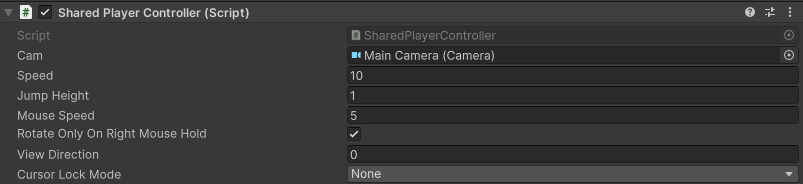
If you prefer to rotate the camera directly with mouse movement (without holding the right mouse button), simply disable the RotateOnlyOnRightMouse flag on the Player GameObject in your scene.
Shoot Projectiles
Left Mouse button – shoot current projectile
1 – select previous projectile
2– select next projectile
Last updated